
Using SmartGit To Supercharge Your Git Workflow
As we've mentioned throughout our website, Summit Embedded is ultra-focused on developing software in the most efficient way possible. Syntevo's SmartGit is one tool that's crucial to our workflow.
Summit Embedded is a strong proponent of open-source software, but SmartGit is the one tool where we make an exception. It does require a paid license. There are several reasons why we feel the exception is justified:
It's cross-platform (Java-based).
We use Linux everywhere we can, but some projects simply require Windows. Windows itself slows down development. We don't want our engineers to be further limited without the git GUI they know & love.
It supports Dark Mode.
Most GUIs do, but it can be a non-starter for an application that doesn't support Dark Mode.
Licenses are "per-person", not "per-machine".
It's within the license conditions to use the same license on your Linux laptop, Linux server, and Windows virtual machine.
Licenses are perpetual.
Though you stop receiving updates after a specified period, you never lose access to the tool itself.
Future renewals (for updates only) are heavily discounted.
SVN is also supported.
SmartSVN is a separate license, but almost identical UI.
Most importantly: The UI is very intuitive and it "just works".
Workflow Example: Patching the Copy Fail Vulnerability
To demonstrate how easy it is to use the UI, let's dive into a real-world example. Let's say a client asked us:
"Is my yocto-based device vulnerable to the recent Copy Fail (CVE-2026-31431) vulnerability? If so, how do I resolve it?"
Copy Fail is a vulnerability that was recently discovered in the Linux kernel. It made international news and affects almost all Linux devices. It was disclosed responsibly and patches are readily available. We just have to ensure that the device in question is using a patched version of Yocto sources.
Yocto Long Term Support (LTS) releases can be tricky in this regard. Like some major desktop distros, you can't just run `uname -a`. The LTS stream will stay on the same major kernel version for years, but BSP maintainers will backport important security fixes to the older kernel versions for you. In other words, Copy Fail was fixed in v7.0 of the mainline Linux kernel, but Yocto devices running v6.x kernels may have back-ported fixes.
Step 1: Find The Upstream Patch
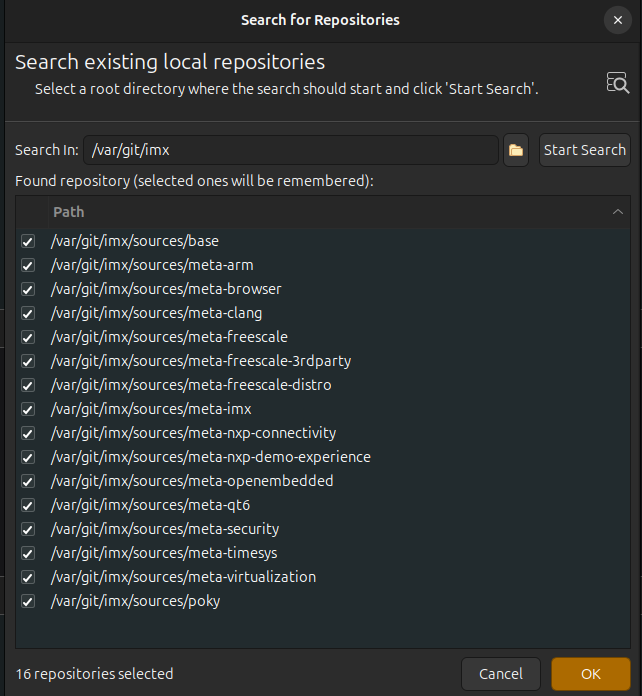
Let's use NXP's i.MX8 BSP as the example here. We followed the `repo init` instructions in the imx-manifests repository to pull the 16 Yocto meta layers. Then, we can quickly import all the repos into SmartGit using the "Search for Repositories" tool. This prevents us from having to import a single repo and repeat those clicks 16 times:
Next we'll perform a regex search across the files in all 16 meta layers to see which one(s) are modifying the kernel. In this case, you have to know that you want `linux-imx` instead of `linux-yocto`. The method to determine that is beyond the scope of this post (hint: NXP uses the `PREFERRED_PROVIDER_virtual/kernel` variable).
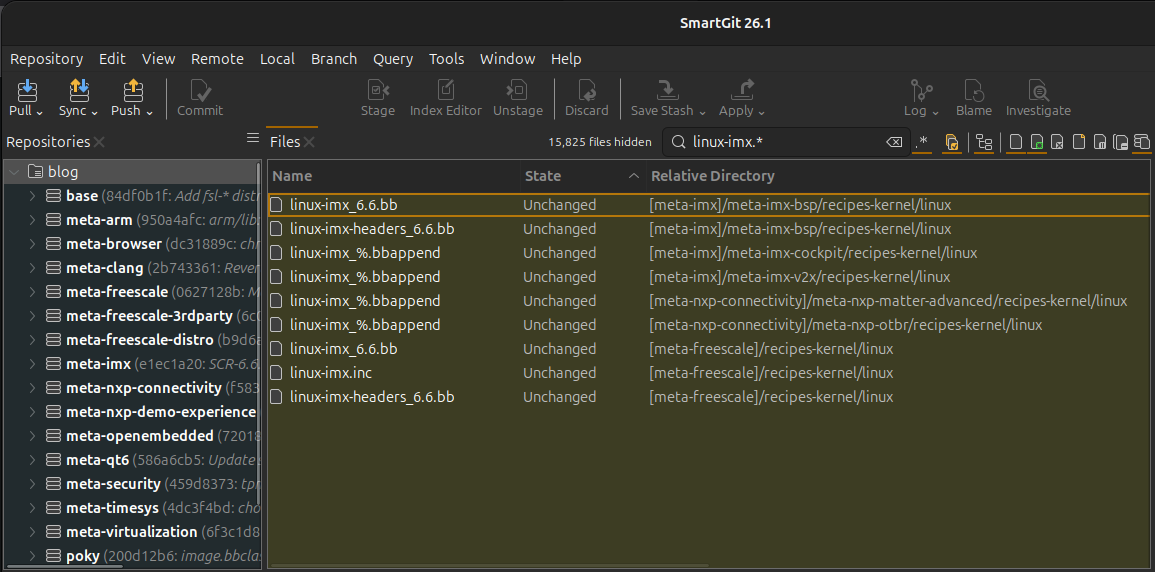
We can see that the `meta-imx` and `meta-freescale` layers both contain `linux-imx_6.6.bb` kernel recipes. In this case, `meta-freescale` would take priority (again, the Yocto reasons for this are beyond the scope of this post). Next, let's dig into that kernel recipe.
We see that it's using the following source code:
SRC_URI = "git://github.com/nxp-imx/linux-imx;protocol=https;branch=${SRCBRANCH}"
SRCBRANCH = "lf-6.6.y"
SRCREV = "b586a521770e508d1d440ccb085c7696b9d6d387"
Let's clone that repository. Cloning is a simple command, so you can use `git clone https://github.com/nxp-imx/linux-imx` on the command line, or use SmartGit's built-in GUI to clone to a folder of your choice.
The Linux kernel is an enormous repo and will stress any GUI. SmartGit is Java-based, so you may want to increase the Java VM's memory limits in the `smartgit.vmoptions` file per Syntevo's Documentation.
After cloning, this is where SmartGit really shines: the Log View. Copy Fail is CVE-2026-31431, so let's search for that:
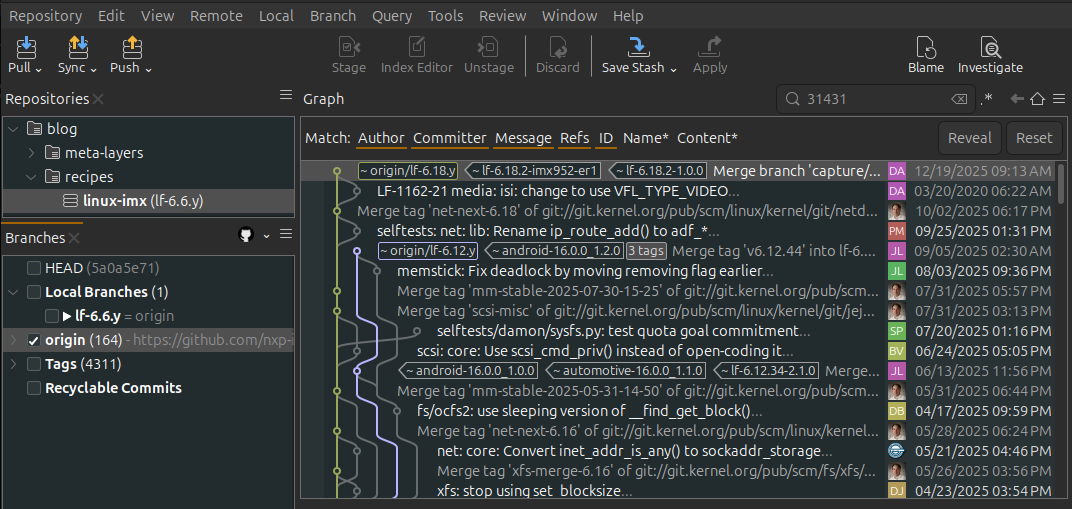
The most recent search result is from 2025. Copy Fail was discovered in early 2026, so we haven't found the patch yet. As we'll see below, searching for `CVE-202x-yyyyyy` strings is not a good way to find security patches in the kernel. But we will attempt it for the sake of demonstrating SmartGit features.
What next? Normally, Summit Embedded discourages manually patching CVEs for code that is not your own. It consumes your time & resources and, more importantly, it's difficult to ensure your custom patch truly closes the vulnerability. It's best to choose a well-supported BSP and let the BSP vendor release official patches. But, for this exercise, we will continue on and demonstrate the workflow.
We know the patch is in the upstream Linux kernel. So let's use SmartGit to add the well-known https://github.com/torvalds/linux repo as a second git remote:
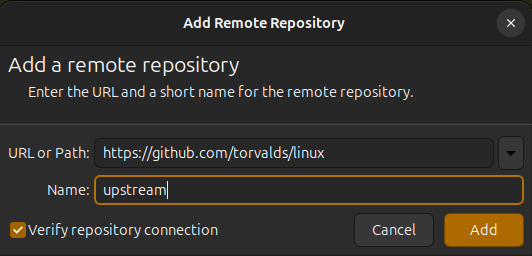
Now our same Log View window has many newer commits (and many copies of Linus's avatar):
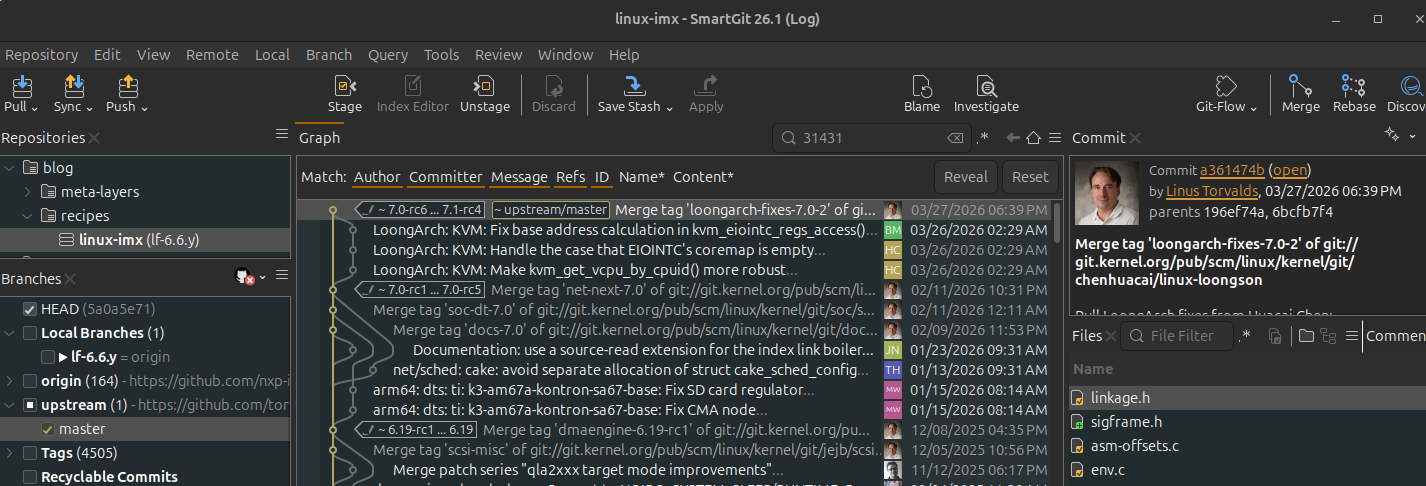
It should be noted that we're seamlessly searching two remotes of one of the world's largest repositories! We did have to increase the memory limit in the `smartgit.vmoptions` file to ` -Xmx12288M / -Xms6144M` per Syntevo's Documentation. The SmartGit process is using about 8GB of total memory at this point.
Searching "31431" still doesn't result in anything that looks like Copy Fail (CVE-2026-31431). Now let's use another powerful feature of SmartGit: Viewing the log of an individual file or folder. From news articles, we know that Copy Fail comes from the `algif_aead` module. Let's search for it:
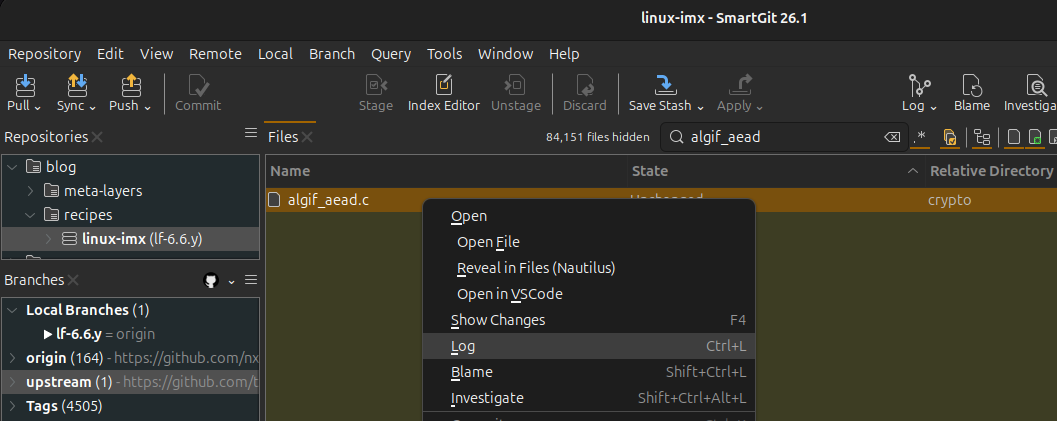
Viewing the log of just that one file, we now have the most important screenshot in this entire post:
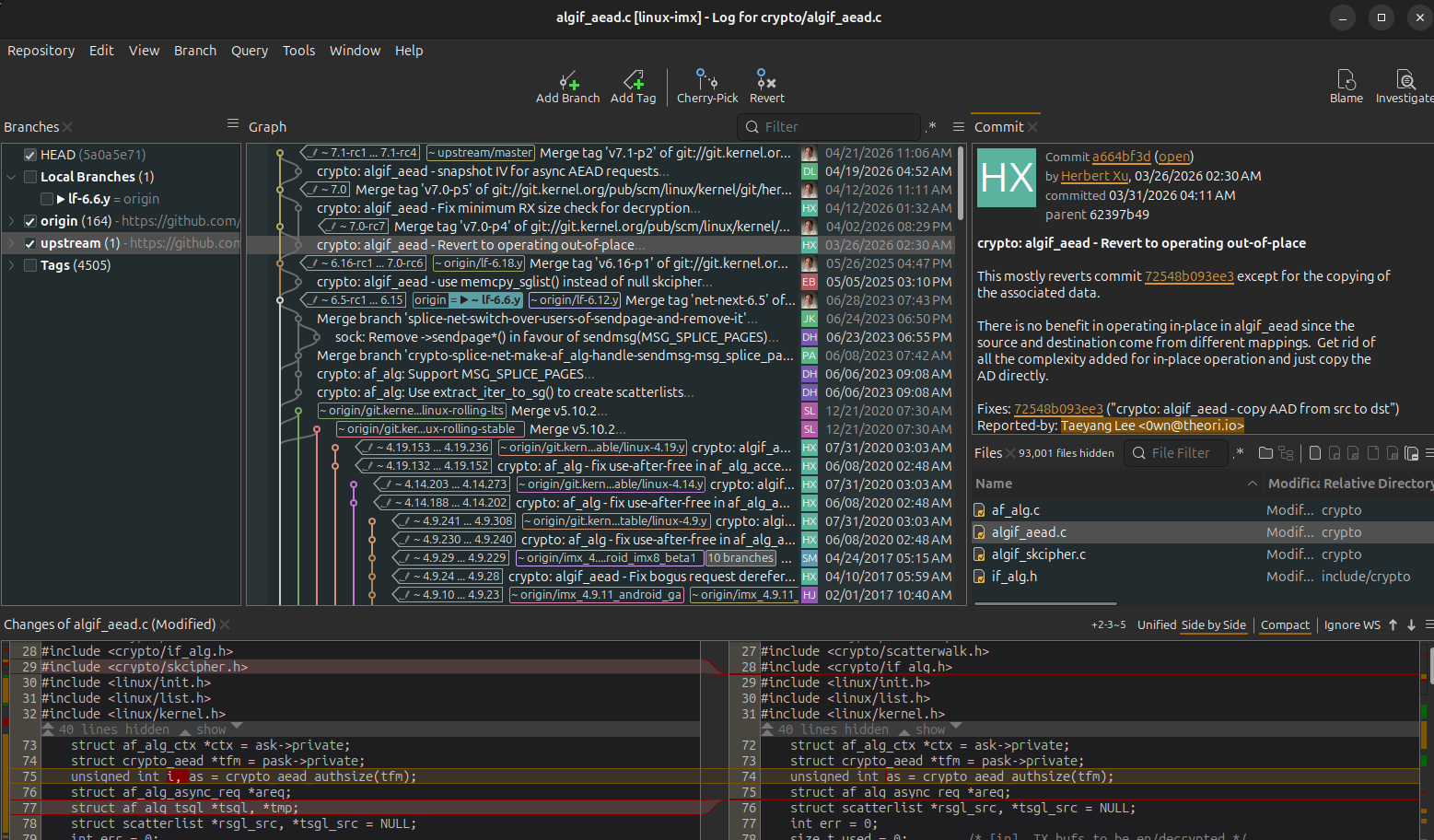
There's a ton of info here. Let's break it down to understand why this feature of SmartGit is so powerful:
Commit `a664bf3d` on 3/26/2026 is the one that patches Copy Fail.
It makes sense that the string `CVE-2026-31431` isn't in the commit message because:
CVE-2026-31431 wasn't assigned until April 22, 2026.
The issue wasn't publicly disclosed until April 29, 2026, despite this patch being submitted publicly on March 26. The authors of the commit message intentionally omitted any phrases like "CVE" or "Vulnerability Of The Year" to avoid drawing attention to this change until the patch could be merged and rolled out. This is great for security, but sure makes it harder for us to find!
We are confident this is the patch because it was reported by Taeyang Lee <0wn@theori.io>. He's the researcher credited with the discovery in the media.
We can see the entire flow of the patch from submission to merging. This can be important info for time-sensitive changes like this:
03/26/2026 2:30AM: Taeyang Lee submits the patch.
Note: this is just the master branch history. We could view even more early history from Taeyang Lee's branch by adding the linux-next and kernel.org remotes.
04/02/2026 08:29PM: Linus merges the change into a kernel v7.0 release candidate.
04/12/2026 11:11AM: Linus merges the change into the V7.0 release.
NXP did merge other changes to this file into their fork on May 26 (the `origin/lf-6.18.y` in the log), but this change is not the Copy Fail patch!
At the bottom, you can see the files that changed, and an intuitive diff with color highlighting. You can optionally expand the diff window to really understand what changed in any given commit.
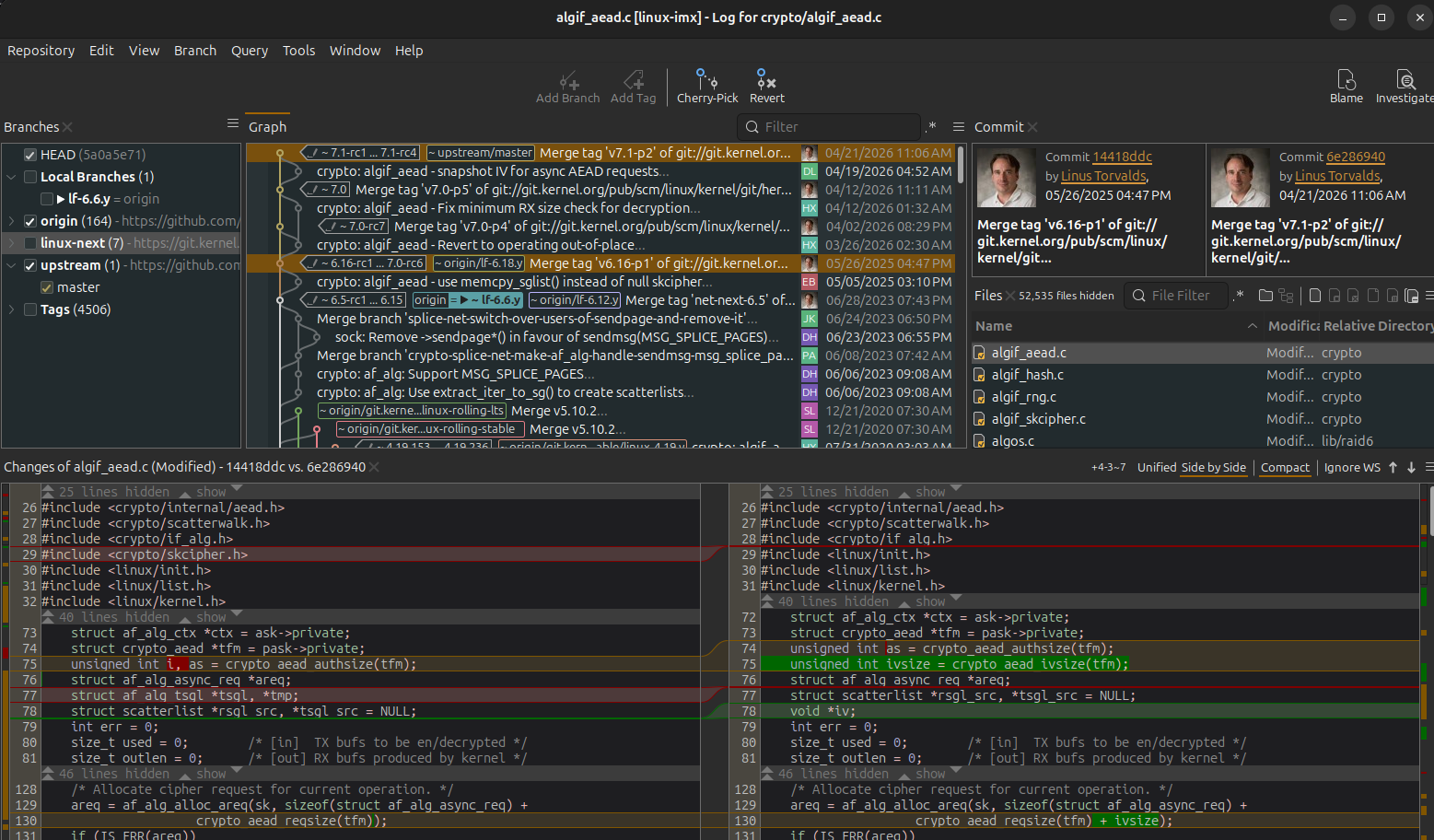
Compare two commits
While not super helpful for this scenario, we'll highlight one other powerful feature of the log window: instant compares. The image below demonstrates a Ctrl+click operation to select the latest commit in the IMX fork (the `origin` remote) vs the latest in the upstream master branch. Notice that it automatically compares the specific `algif_aead.c` file we're concerned with here. But all the other file differences are shown in the middle-right "Files" pane, should we wish to see what else is different between the commits.
Step 2: Merge The Change
As with command-line git workflows, changes are often integrated via either merges or cherry-picks. You can easily merge via SmartGit, but that doesn't make sense in this case. Let's demonstrate cherry-picking the 03/26/2026 fix:
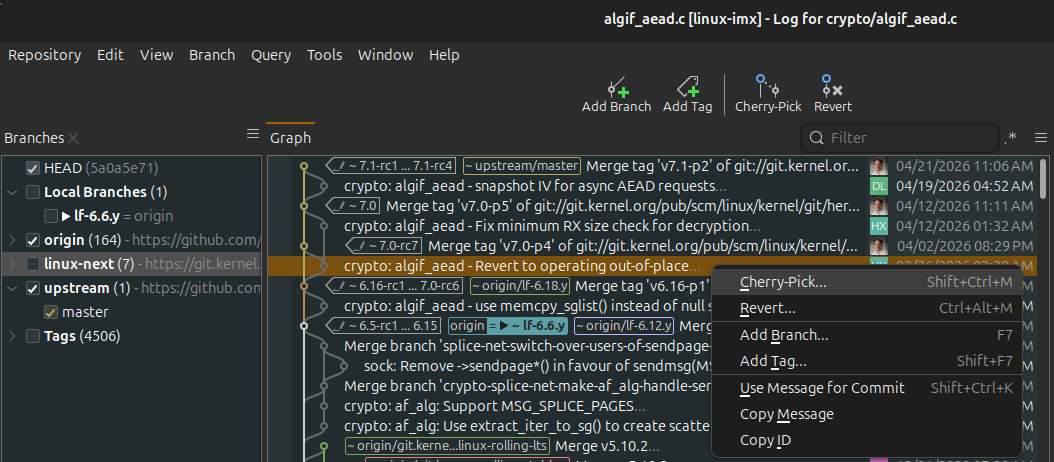
Notice the `origin/lf-6.6.y` branch is highlighted as our current branch. That's what our client's Scarthgap-Yocto-based device is using.
In this case, there is a conflict. This is a great example of another powerful SmartGit tool - the Conflict Solver view:
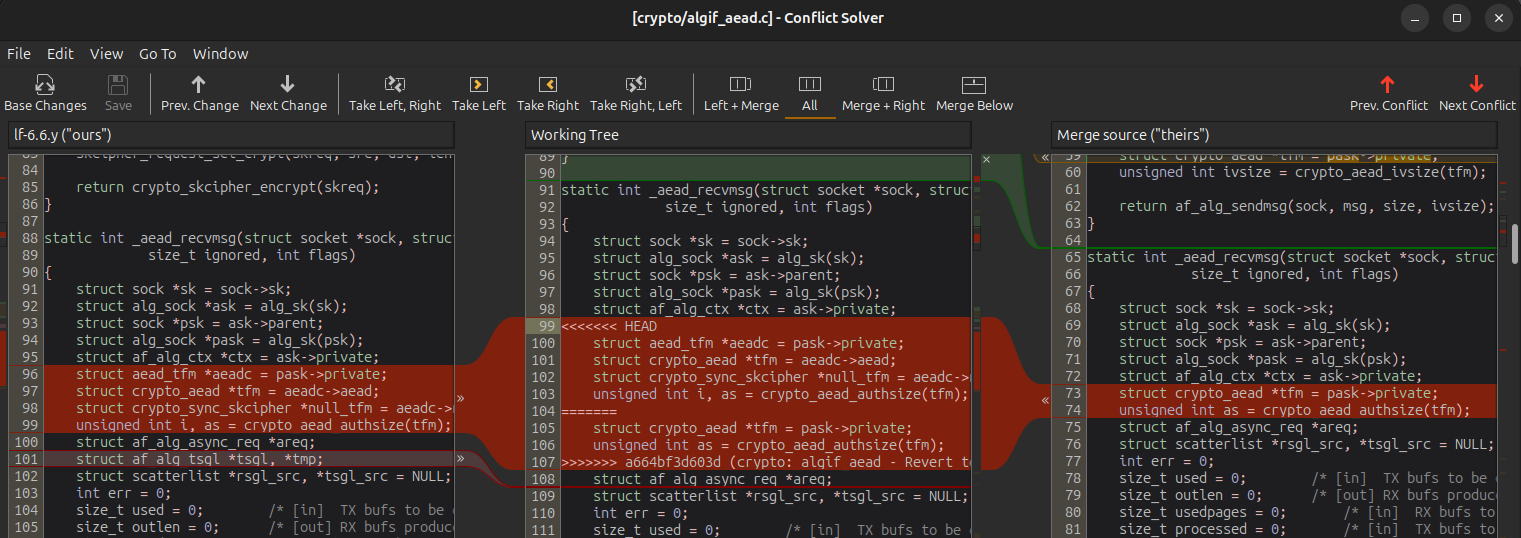
Many git UI's have conflict resolution views, but none are as intuitive and flexible as SmartGit. After clicking through each of the 3 conflicts, our `origin` log has a new commit from Summit Embedded:
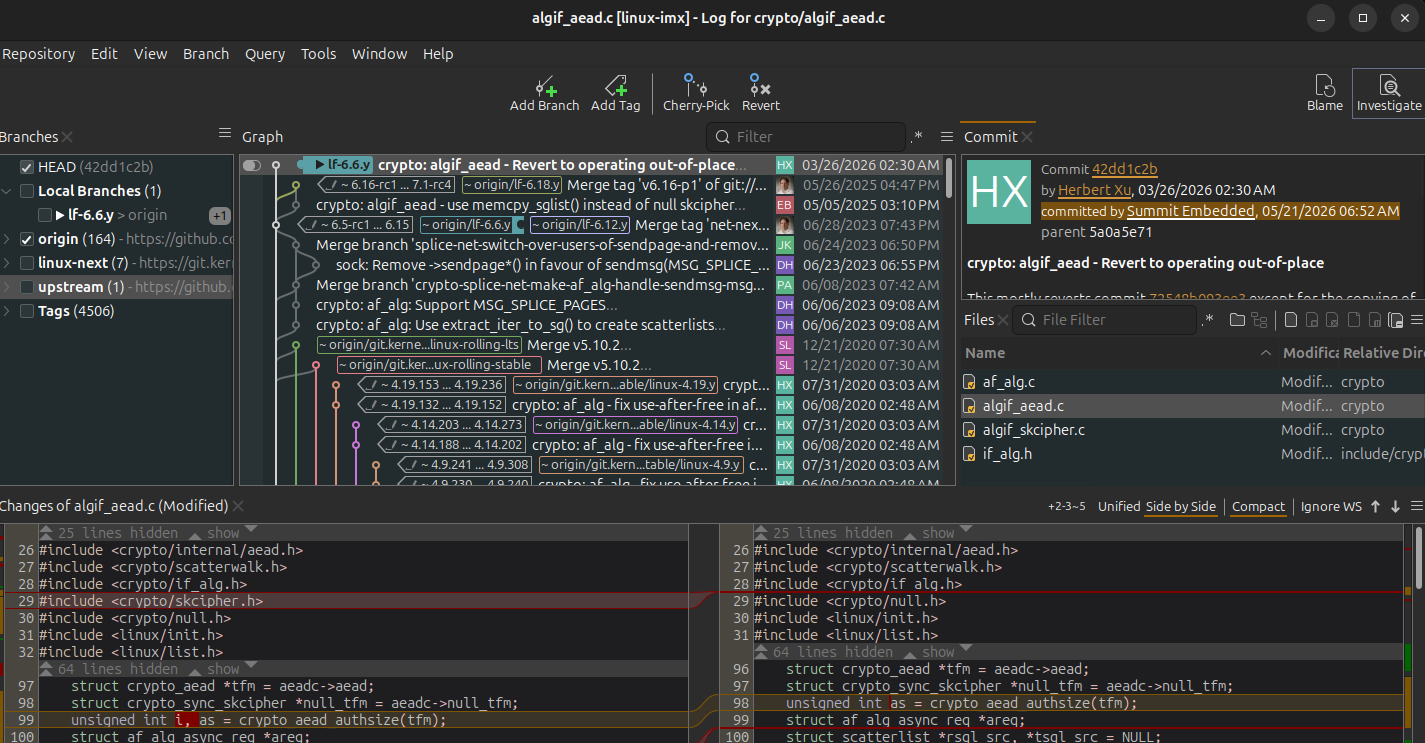
If this weren't a Yocto project, we would just push this change and be done. But this Yocto environment is set to pull from https://github.com/nxp-imx/linux-imx, which we can't push to. The best practice would be to submit a Pull Request to the maintainer (which can be done entirely through SmartGit's GitHub integration). However, we're confident that NXP is already working in parallel to apply this same patch and test very thoroughly. Again, Summit Embedded strongly recommends waiting for a tested patch from the official BSP vendor. But, if a client is anxious to move forward immediately, a custom Yocto patch could be made.
Using `format-patch` in SmartGit
One last, neat feature of SmartGit will help us to generate a patch. In recent versions of SmartGit, the "Format Patch" context menu entry was removed. But SmartGit has a customization feature that allows you to add custom context menu entries to run any git command you wish. They've documented a format-patch example here: https://docs.syntevo.com/SmartGit/Latest/Manual/GUI/Preferences/Tools#format-patch
After adding the YAML sample from the above link and restarting SmartGit, a "Format Patch" option will forever be in your Log View context menu:
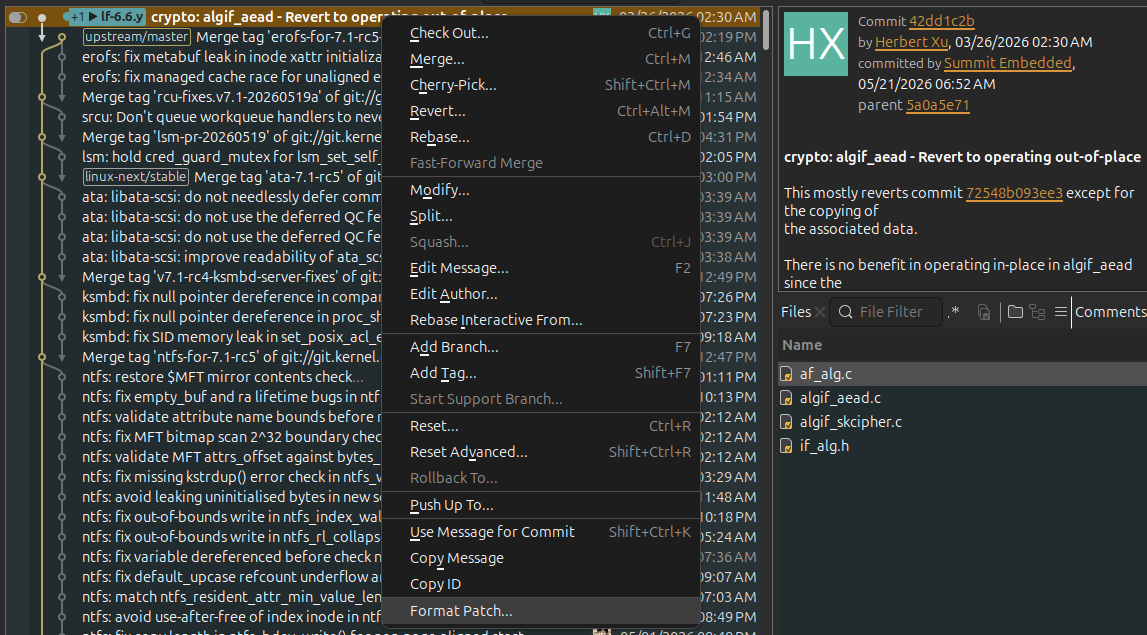
Clicking that will generate a `0001-crypto-algif_aead-Revert-to-operating-out-of-place.patch` file, which you can then integrate to Yocto using its standard patch workflow.
Final note: When fixing vulneabilities, the patching part is easy (as we've shown). The difficult part is the testing. To properly fix Copy Fail, you must test the `algif_aead` module before the fix to ensure 1) it works and 2) you have a working test script that can correctly trigger the exploit. Then, you would install the patched software and ensure 1) the algif_aead feature still works and 2) the test exploitation tool no longer works. For complex modules like algif_aead, these are not simple tests to run! Though the Copy Fail vulnerability is actually fairly simple & reliable to exploit, other vulnerabilites are more difficult to demonstrate.
Disclaimer
The idea for this blog post originated with Summit Embedded, and was authored entirely by Summit Embedded. Our engineers had used SmartGit for years before we established a relationship with Syntevo. However, as part of the process of writing this post, we reached out to Syntevo. They provided favorable license pricing terms in exchange for a public post about how we use SmartGit. That was the only stipulation and Syntevo had no editorial role in this post.